The viral NEON duo intro, starring your two photos
Neon Dance AI: A2O LITE NEON AI Dance Generator
Neon Dance AI puts the two people or pets from your photos into the NEON duo intro: the hair whips, the finger guns at the lens and the synced wide shots, shot for shot. Pick people or pets, add two photos, and Neon Dance AI hands you a 15-second MP4 with music for TikTok, Reels or Shorts.
Neon Dance AI Examples
Both A2O LITE NEON AI dance clips below came out of this Neon Dance AI studio from the two everyday photos in the corner, with no editing afterwards. Turn the sound on: every Neon Dance AI video comes with the beat.
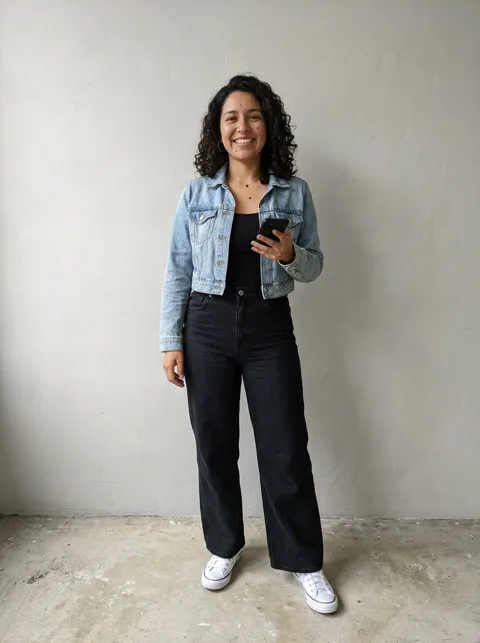
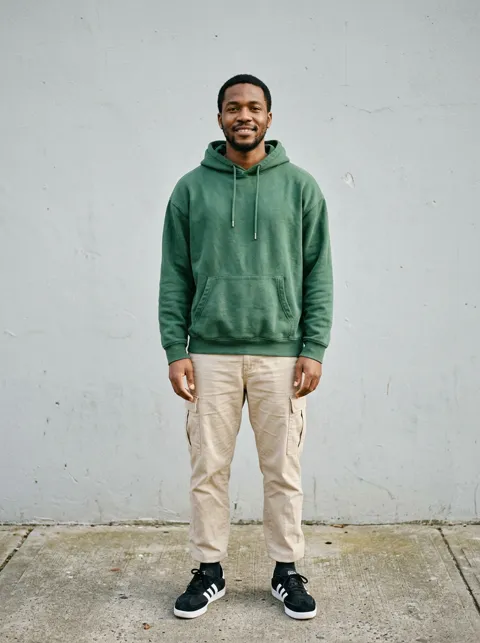
Neon Dance AI video of a couple
A woman in a denim jacket and a man in a green hoodie take over the NEON duo intro. Neon Dance AI kept both faces, both outfits and every close-up, in about four and a half minutes at 480p.
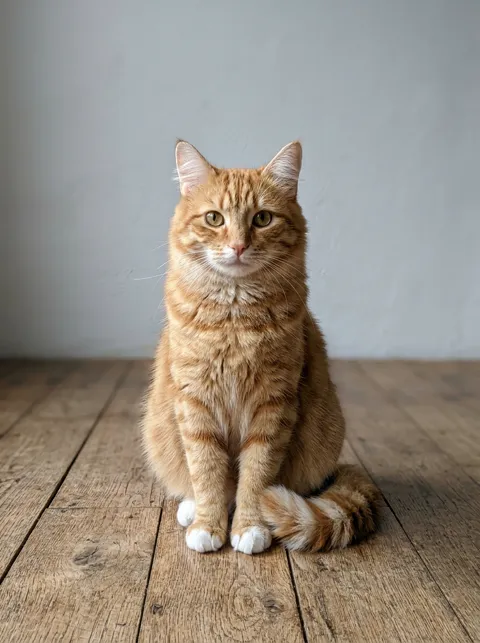
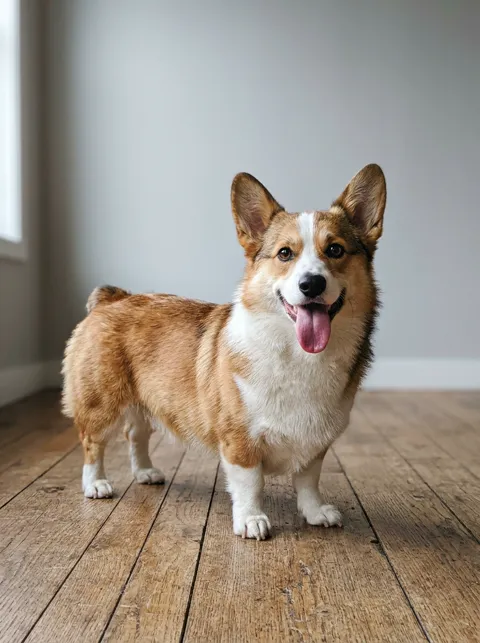
Neon Dance AI video of a cat and a corgi
An orange tabby and a corgi dance the same routine upright on their hind legs, close-ups included. The pet version took about eleven minutes at 480p.
What Is Neon Dance AI?
Neon Dance AI is an online tool that recreates the duo intro of "NEON", the debut single of A2O LITE, with the dancers from your own photos. NEON came out on October 13, 2026, and reached No. 1 on Melon's Top 100 about 29 hours later. Its opening, two dancers in white moving in perfect sync in a bright studio, became the A2O LITE NEON AI dance trend within days.
Instead of learning the choreography, people upload two photos and let AI do the dancing. Neon Dance AI keeps the moves, camera work and timing of the duo intro and swaps your two dancers into every shot, from the wide shots to the face close-up. You will also see the trend written as A20 LITE NEON AI dance or neon AI dance; it is the same routine.
Neon Dance AI is independent and fan-made. It is not an official A2O product, and every Neon Dance AI video is AI-generated.
How to Make a Neon Dance AI Video
A Neon Dance AI video takes three steps and usually five to twelve minutes of rendering.
1. Pick people or pets
Choose People for you and a friend, a partner or a sibling, or Pets for two animals. Neon Dance AI directs each cast differently, so pets dance upright with paws instead of hands.
2. Add two photos
Photo 1 is the dancer who starts in front, photo 2 the one who steps out from behind. Use one person or one animal per photo, with the whole body in frame if you can.
3. Make it dance and download
Press the button, sign in with Google and pay with credits. Your Neon Dance AI video renders in the background and lands in My videos as an MP4 with music.
Every Move in the Neon Dance AI Duo Intro
Neon Dance AI follows the original 15-second intro beat for beat, so your two dancers hit every mark of the routine.
0–3 s
The reveal
Dancer 1 stands alone in a wide shot, then Dancer 2 steps out from behind and both whip their hair as the camera pushes in.
3–5 s
Arm close-ups
An overhead shot and a close-up follow one arm as it sweeps across the frame.
5–6 s
The face close-up
Dancer 1 gets a solo close-up with a hair flip. Neon Dance AI swaps this shot too, which is where weaker tools leave the original dancer.
6–7.5 s
Finger guns
Both dancers point straight at the lens in a tight two-shot.
7.5–14 s
The synced routine
A wide shot of both dancers side by side: turns, a high kick and a low squat, perfectly in sync.
14–15 s
The finish
A medium shot of the two of you closes the Neon Dance AI clip.
Why Use Neon Dance AI
No dance practice, no editing app and no prompt to write: Neon Dance AI already knows the routine and only needs your two photos.
Both dancers swapped
Two photos, two separate identities: Neon Dance AI keeps faces, hair and outfits with the right dancer, and they never swap halfway.
Every shot, close-ups included
Neon Dance AI replaces the dancers in the wide shots, the arm close-up, the face close-up and the finger-gun two-shot.
Music on the beat
Each Neon Dance AI video comes with an instrumental track timed to the moves. For the official song, add the NEON sound in TikTok or Instagram when you post.
Ready to post
Every Neon Dance AI video is a 15-second 16:9 MP4 with no watermark, at 480p or 720p.
Private by default
Your photos and your Neon Dance AI videos stay in your account. Nothing goes to a public gallery.
Credits back on failure
If a Neon Dance AI video fails to render, its credits return to your balance automatically.
Neon Dance AI for Pets
The trend took off with cats and dogs as much as with people. Choose Pets, add one animal per photo, and Neon Dance AI puts them on their hind legs for the whole NEON duo intro, close-ups and finger guns included.
Clear, front-facing photos of the whole animal work best. Two cats, two dogs or a cat and a dog all work, and a Neon Dance AI pet video takes longer to render than a people video, about ten minutes.
Photo Tips for a Better Neon Dance AI Video
The photos decide how much your Neon Dance AI video looks like you. These four everyday photos made the examples above.
One subject per photo
Crop out friends and passers-by. Neon Dance AI needs exactly one dancer in each photo.
Show the whole body
Head to shoes is ideal. The outfit in the photo is the outfit in the video.
Face the camera
A clear, front-facing face in even light keeps the close-up looking like you.
Adults only, with permission
Upload photos of adults who agreed to it, or of your own pets. No children, no celebrities.
Neon Dance AI Pricing
Buy credits once and spend them on the videos you make. There is no subscription and no free trial, and credits never expire. A Neon Dance AI video at 480p costs 10 credits, so the $9.90 Single pack covers one video and the Five pack brings each video down to $5.98. HD at 720p costs 20 credits.
Single
$9.90
10 credits · one-time payment
1 NEON duo video at 480p
$9.90 per video
- Credits never expire
- People or pets, 480p or 720p
- MP4 with music, no watermark
- Credits back if a generation fails
Trio
$19.90
30 credits · one-time payment
3 NEON duo videos at 480p
$6.63 per video
- Credits never expire
- People or pets, 480p or 720p
- MP4 with music, no watermark
- Credits back if a generation fails
Five
$29.90
50 credits · one-time payment
5 NEON duo videos at 480p
$5.98 per video
- Credits never expire
- People or pets, 480p or 720p
- MP4 with music, no watermark
- Credits back if a generation fails
| Quality | 15 s video |
|---|---|
| Standard (480p · fastest) | 10 credits |
| HD (720p · sharper) | 20 credits |
Neon Dance AI FAQ
What is Neon Dance AI?
Neon Dance AI turns two photos into your own version of the A2O LITE NEON duo intro. The AI recreates the original moves and camera work with the two people or pets from your photos as the dancers.
Is it A2O LITE or A20 LITE?
The group is A2O LITE, with the letter O. A20 LITE with a zero is a common typo on TikTok, and both searches point to the same NEON AI dance.
How much does a Neon Dance AI video cost?
A 15-second Neon Dance AI video costs 10 credits at 480p and 20 at 720p. Packs start at $9.90 for 10 credits; the Trio pack is $19.90 for 30 and the Five pack $29.90 for 50.
Is there a free Neon Dance AI video?
No. There are no free credits and no trial, so you buy a one-time pack before your first video. That pays for the video model and keeps the queue short.
How long does a Neon Dance AI video take?
In our tests a people video took about five minutes and a pet video about eleven at 480p; HD can take a few minutes more. You can close the tab: the video keeps rendering and appears in My videos.
Does the video include the NEON song?
No. Each Neon Dance AI video comes with an instrumental beat timed to the routine, not the original recording. When you post on TikTok or Instagram, you can add the official NEON sound from the app.
Can I use a photo of my pet?
Yes. Choose Pets in Neon Dance AI and add one animal per photo. Cats and dogs work best, and the animals dance upright through the whole routine.
Will the outfits in my photos stay the same?
Yes. Neon Dance AI keeps the clothes from each photo instead of the white stage outfits, so show the whole outfit if you can.
Can I upload a photo of a friend?
Only with their permission, and only if they are 18 or older. Do not upload photos of children, celebrities or anyone who has not agreed.
What if a generation fails?
When a Neon Dance AI video fails to render, its credits go back to your balance automatically. A finished video you do not like is not a failure, so its credits are not returned.
Can I post my Neon Dance AI video on TikTok or Instagram?
Yes. The MP4 has no watermark. Label it as AI-generated and only use photos you have the right to use.
Is Neon Dance AI official?
No. Neon Dance AI is an independent fan-made tool and is not affiliated with, sponsored or endorsed by A2O Entertainment or A2O LITE.